Personal Registration Links
Send each parent a secure, personal link — no account or app install needed to complete it.
Solution
Register your selected squad the right way. Send each parent a personal link to collect emergency contacts, medical information and consents — with health data encrypted and every access audited. Use it after trials, or on its own.
Registration Workflow
Send each parent a secure, personal link — no account or app install needed to complete it.
Collect emergency contacts, medical conditions and versioned consents in one guided form.
See who’s completed at a glance and resend to the ones who haven’t — from your home screen.
Contacts, registration status and consents to CSV or a print-ready matchday sheet.
Trust & Safeguarding
Medical data is encrypted with a dedicated key per club in Google Cloud KMS — unintelligible in the database.
Medical details are never shown in routine screens. Revealing them is a deliberate, recorded action.
Every consent is a dated, versioned record of exactly what was agreed — ready for a safeguarding review.
Medical data is purged on a set schedule and deleted with the account, with correction on request.
The Family’s Side
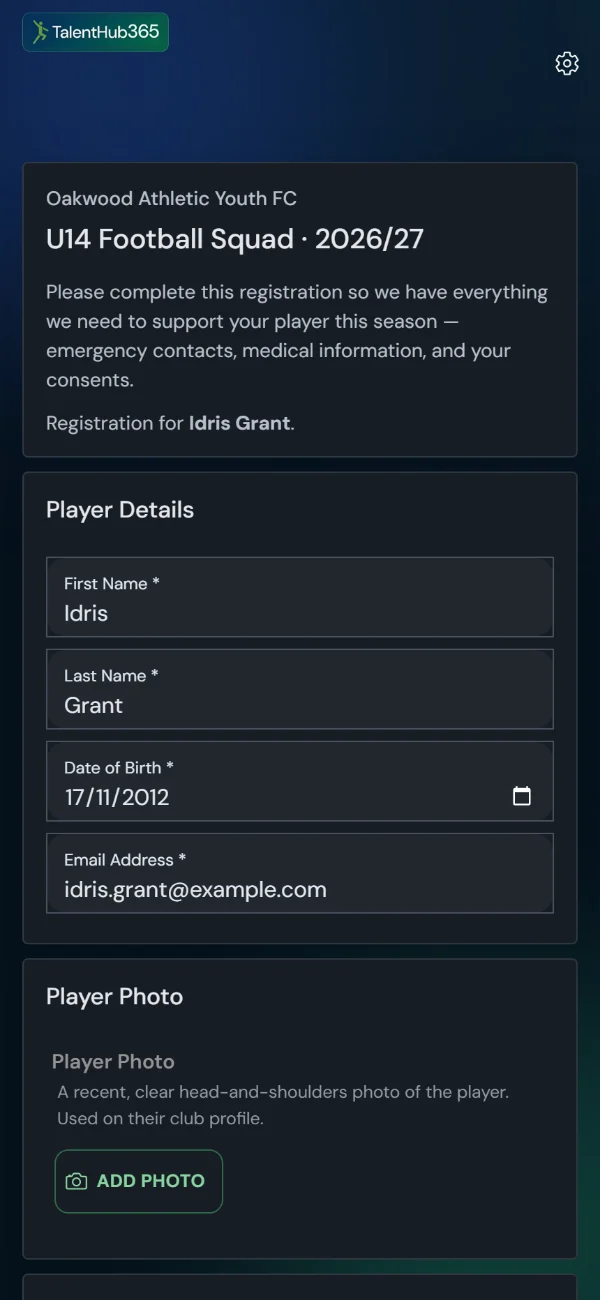
Each family gets its own registration link — no account, no password. Player details, emergency contacts, medical information, consents and a photo, on a phone, in a few minutes. Paper still works for the families who prefer it.
Your Side
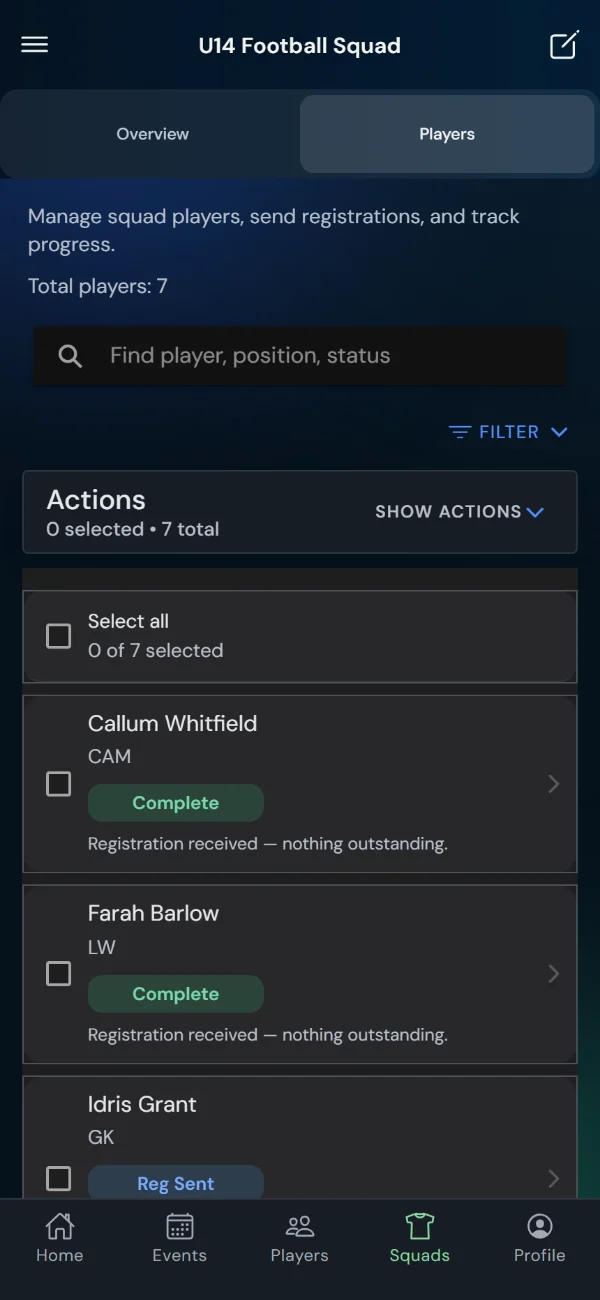
The squad roster shows every player’s registration status at a glance — complete, sent, started, not sent — with one-tap reminders for the outstanding ones. Medical details are encrypted, revealed only when needed, and every reveal is logged.
FAQ
No. You can create a squad, add players and send registration links on their own. Trials are optional — use TalentHub365 for trials, registrations, or both.
Medical information is encrypted at rest with a dedicated key per club managed in Google Cloud KMS, is never shown in routine screens, and is only revealed when an administrator chooses to — with every access recorded in an audit log.
Each player gets a personal link. The parent or guardian opens it, completes emergency, medical and consent details in about five minutes, and submits — no account or app install required.
Ready When You Are
Take your selected players through secure online registration — consents, medical details and reminders handled for you.